Livecode permits you to print any part of your programs as a PDF (or on a real printer).
If you want, you can create a PDF with links. The command to use is print link.
For example on a window create a text (http://www.paypal.com) and the use Text-> Link menu. Like this:
For example the button code is:
on mouseUp settheprintPaperSizeto (item3to4oftherectofthisstack) puttherectoffield"example"into temp askfile"Save PDF as:"with"Example.pdf" if it isemptythen exit mouseUp endif openprintingto PDF it printcard1ofthisstack printlinktoURL"http://www.paypal.com/"withrect temp closeprinting end mouseUp
Creating an animated scrolling text can be achieved by livecode in two ways:
text manipulation
graphic manipulation
We'll see both ways.
TEXT MANIPULATION
Just create a field and put this code in it:
on movingtext mytext, myspeed setthe realtext ofmeto mytext setthe realtext2 ofmeto mytext stripspaces setthetextofmetoempty createspaces putthe realtext2 ofmeinto temp putthetextofmebefore temp #put the text of me after temp setthe realtext2 ofmeto temp setthetextofmeto temp setthe cyclet ofmetotrue cycleText myspeed end movingtext on stopcycle setthe cyclet ofmetofalse end stopcycle on stripspaces putthe realtext2 ofmeinto temp ifthelastcharof temp isspacethen deletethelastcharofme setthe realtext2 ofmeto temp stripspaces endif end stripspaces on cycletext myspeed putthe realtext2 ofmeinto temp putthenumberofcharsof temp into nt setthetextofmeto temp repeatfor nt times deletechar1ofme ifnotthe cyclet ofmethenexitrepeat wait mySpeed secwithmessages endrepeat ifthe cyclet ofmethensend"cycletext " & myspeed tomein0sec end cycletext on createspaces setthedontwrapofmetotrue putspaceafterme iftheformattedwidthofme < thewidthofmethen createspaces endif end createspaces
Now you have the following messages to use:
movingtext TEXT,SPEED: you use this message to change text, start scrolling setting the scroll speed
stopcycle to stop scrolling text
GRAPHIC MANIPULATION
Create a field and put this code inside it:
on cycleText myText, mySpeed lockscreen setthelocktextofmetotrue setthedontwrapofmetotrue setthe pcontinue ofmetotrue setthetextofmeto myText clonemeas"clonefield" puttheIDofthelastfieldinto tID setthe pcloneid ofmeto tID setthewidthoffldid tid totheformattedwidthoffldid tid setopaqueoffieldid tid tofalse setshowFocusBorderoffieldid tid tofalse setthreeDoffieldid tid tofalse setshowborderoffieldid tid tofalse setlockTextoffieldid tid totrue settheleftoffldid tid totherightofme setthetopoffldid tid tothetopofme creategraphic"cycleR" puttheidofthelastgraphicinto tID2 setthe pgr ofmeto tID2 setthestyleofgraphicid tid2 to"rectangle" settherectofgraphicid tid2 totherectoffldid tid settheopaqueofgraphicid tid2 totrue setthebackgroundcolorofgraphicid tid2 tothebackgroundcolorofthiscard setthelinesizeofgraphicid tid2 to0 clonegraphicid tid2 puttheidofthelastgraphicinto tid3 setthe pgL ofmeto tid3 settherightofgraphicid tid3 totheleftofme setthetopofthegraphicid tid3 tothetopofme setthe prealText ofmetothetextofme setthetextofmetoempty setthe pmyspeed ofmeto myspeed unlockscreen cycle2 mySpeed end cycleText on cycle2 mySpeed putthe pcloneid ofmeinto temp ifexists(fieldid temp) then settheleftoffldid temp to (theleftoffieldid temp - 1) wait myspeed sec iftherightoffldid temp < theleftofmethen settheleftoffldid temp totherightofme endif endif ifthe pcontinue ofmethensend"cycle2 "& mySpeed tomein0sec end cycle2 on StopCycle setthe pcontinue ofmetofalse setthetextofmetothe pRealText ofme putthe pcloneid ofmeinto tid putthe pgr ofmeinto tid2 putthe pGL ofmeinto tid3 deletefieldid tid deletegraphicid tid2 deletegraphicid tid3 end StopCycle
RESULTS
You can see results in the following video, the text mode is confinde in it's space but it sn't constant due the difference in size of each letter, on the other hand the gaphic mode is smother but needs on the left and on the righe no other object, because we have to cover the text:
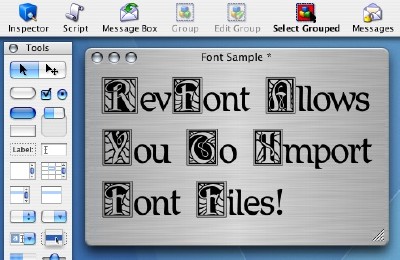
Using the property inspector of livecode you can set many effects for your font:
Here the explanations:
textFont is the font used
textSize is the size of the fonr
textStyle can be:
bold
italic
underlined
boxed
3D boxed
link
strikethrough
textAling is the alignof the text
fixedLineHeight is to permit or not the custom height of each line
textHeight is the distance between lines
margins is the distance of text from box around it
However you can mix all styles using the htmlText property, for example if you have a field named label1 and put this code in a button:
on mouseUp put"<h1>Titolo 1</h1>"after temp put"<h2>Titolo 2</h2>"after temp put"Questo e' un esempio di testo con piu' stili contemporaneamente. Ecco un elenco puntato:"after temp put"<ul>"after temp put"<li>primo elemento</li>"after temp put"<li>secondo elemento</li>"after temp put"</ul>"after temp put"Ecco un link: <a >www.livecode.com</a>"after temp setthehtmltextoffield"label1" to temp end mouseUp
Clicking the button, you'll obtain this:
The link www.livecode.com is just text, to activate it you have to use the message linkCLicked, like this:
on linkClicked pLink launchurl pLink end linkClicked
The linkClicked will launch the browser to the url of the text of the link, so you can have different links on the same text and all will work correctly.
One missing thing in livecode is the justified text. However there are some workaround.
The first option is to use the free hhtextEdit widget for livecode:
local finaltext on closefield justifyme end closefield on justifyme lockscreen putemptyinto finaltext stripspaces setthedontwrapofmetotrue putthetextofmeinto temp setthetextofmetoempty replacereturnwith (space & chartonum(1) & space ) in temp #we separete words with newlines attached, and much more, newline is a word now putthewidthofmeinto tw putthenumberofwordsof temp into nw repeatwith i=1to nw ifword i of temp ischartonum(1) then putreturnafterme putthetextofmeafter finaltext putemptyintome nextrepeat endif putword i of temp afterme iftheformattedwidthofme > tw then deletethelastwordofme addspaces 0 putword i of temp & spaceintome else putspaceafterme endif endrepeat putthetextofmeafter finaltext setthetextofmeto finaltext setthedontwrapofmetofalse unlockscreen end justifyme on addspaces temp ifthenumberofwordsofmeis1then putthetextofmeafter finaltext setthetextofmetoempty exit addspaces endif putthewidthofmeinto tw putthenumberofwordsofme -1 into nspaces #the correct number of spaces between words is nspaces -1, but we'll use mod put temp mod nspaces into temp add1to temp putspaceafterword temp ofme iftheformattedwidthofme > tw then putthenumberofcharsofword1to temp ofmeinto tc deletechar (tc +1) ofme putthetextofme & spaceafter finaltext setthetextofmetoempty else addspaces temp endif end addspaces on stripspaces putthetextofmeinto temp repeatforeachchar tchar in temp if (tchar isspace) and (thelastcharof t2 isspace) then nextrepeat else put tchar after t2 endif endrepeat setthetextofmeto t2 end stripspaces on resizeControl justifyme end resizeControl